

Your customers are searching right now. But will they find you?
When someone needs a plumber, electrician, HVAC technician, cleaner, roofer, or landscaper, they don’t wait for a recommendation. They reach for their phone and search.
But here’s the reality: If you’re not online, your competitors are capturing those customers.
The businesses that show up in local search results, have complete information, display their work, and make it easy to request a quote are the ones winning new projects.
Without an online presence, you’re invisible when customers are actively looking to hire someone just like you.
The Cost of Being Invisible Online
Before we talk about building your presence, let’s be clear about what happens when you don’t.
Customers find your competitors instead.
Someone needs a plumber for an emergency. They search “plumber near me.” If your business doesn’t appear, they call the one that does. That’s a lost customer.
You lose local search rankings to newer competitors.
Younger plumbing companies, electricians, and cleaners are already online, building reviews, and showing up in search results. Every month you wait, they get more visible and harder to compete with.
Outdated or missing information creates doubt.
Even if someone finds your old website or incomplete business listing, incomplete information, outdated photos, or no website at all signals that your business isn’t serious. Customers choose the professional-looking option.
You miss qualified leads.
Customers don’t just need your services—they need you specifically. If they can’t find you, they never know you exist. But if your website clearly shows what you offer, where you work, and how to contact you, you capture the sale before your competition even knows they looked.
The gap widens every month.
This isn’t a one-time problem. Every day you’re offline, your competitors are collecting reviews, showing off projects, appearing in local search, and building customer trust. Waiting makes it harder to catch up later.
What Does an Online Presence Actually Mean?
Your online presence is everything customers can find about your business on the internet.
That includes your:
- Business website — Your digital home where you control the message
- Google Business Profile — Where customers find you in local search
- Social media profiles — Places to share work and interact with customers
- Online reviews — Customer proof that your work is quality
- Business directories — Consistent information across platforms
- Photos and videos — Visual evidence of your work
- Service pages — Clear explanation of what you offer
- Project portfolio — Before/after examples that build trust
Think of these as different parts of the same system.
Your social media helps people discover you. Your Google Business Profile makes you findable. Reviews build confidence. But your website becomes the central home where it all connects.
Instead of relying entirely on platforms you don’t control (Google, Facebook, Yelp), you have a professional space where you clearly explain your business, showcase your best work, answer customer questions, and guide visitors toward contacting you.
That’s the difference between being found and being chosen.
1. Start With Your Business Goal
Before choosing a domain, website platform, or design tool, ask the most important question:
What do I want my online presence to help my business achieve?
For home services businesses, it’s usually clear:
- More phone calls for urgent service requests
- More quote requests
- More booked jobs
- Better visibility in local search
- Greater credibility and trust
- More inquiries from qualified customers
Your goal determines what your website needs to emphasize.
A plumber may want visitors to request emergency service or get a quick quote. An HVAC company may want customers to understand their service packages and book a consultation. A landscaper may want to showcase before/after projects and generate quote requests.
The goal shapes everything that comes next.
2. Get Your Business Name and Domain Online
Once you know your goal, establish a clear business identity.
The relationship is simple:
Business name → Domain → Website
A domain is your website’s address, such as yourbusiness.com.
Whenever possible, choose a domain that is easy to remember, easy to spell, and clearly connected to your business name.
Your domain will appear on business cards, trucks, invoices, social profiles, and advertisements. So choose something that represents your business and feels professional.
3. Why WordPress + HomeLancer Pro: The Home Services Advantage
Here’s where most businesses make a mistake: they assume every online platform is the same.
It’s not.
Wix, Squarespace, and Elementor are generic builders. They work for restaurants, retailers, and consultants.
But home services businesses have specific needs that generic platforms don’t address:
- You need quote forms, not just contact forms (to capture project details)
- You need service-area targeting (so customers know you actually serve them)
- You need before/after portfolios (to prove your quality)
- You need local SEO (to rank for “[Service] in [Your City]”)
- You need review management (to build trust)
- You need to own your site (not pay monthly platform fees)
This is why HomeLancer Pro exists.
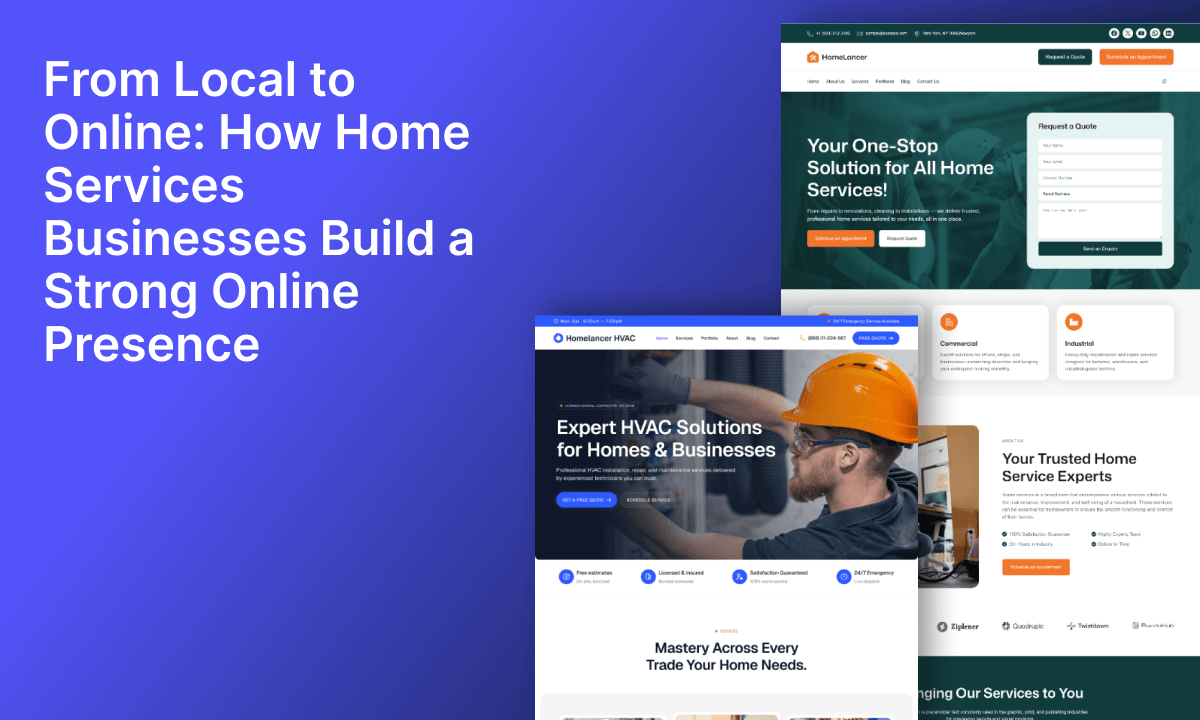
HomeLancer Pro is a WordPress theme and toolkit built specifically for home services businesses—plumbers, electricians, HVAC technicians, cleaners, roofers, landscapers, contractors, and similar trades.
Instead of starting with a blank page or forcing a generic layout to work for your business, HomeLancer Pro includes everything designed around how home services actually work.
What Comes Built-In
1. Homepage That Converts Inquiries
Pre-built, proven homepage templates that immediately answer customer questions:
- What do you do?
- Do you serve my area?
- Can I see examples of your work?
- How do I contact you?
No guessing. No blank page. Just a professional starting point.
2. Forms
A contact form just captures “someone is interested.” A quote form captures details:
- Type of service needed
- Property details
- Timeline
- Budget range
- Phone and email
This qualification means you spend time only on serious leads, not generic inquiries.
3. Service-Area Sections
Customers want to know: “Do you actually serve my location?”
HomeLancer Pro includes a built-in service-area list sections so customers can verify their location before requesting a quote.
Why this matters: A customer in a neighboring county doesn’t request a quote if you don’t serve them. They move to someone who does.
4. Automatic SEO
This is the biggest technical advantage HomeLancer Pro has over generic WordPress themes.
When search engines like Google index your site, they need to understand:
- “This is a plumbing business”
- “In these service areas”
- “With these services”
- “Located here”
- “With these reviews”
Schema markup tells Google all of that automatically.
This means:
- Your business ranks for “[Service] near me” searches
- You appear in Google’s local pack (top 3 results)
- Your phone number, hours, and services appear in search results
- New customers find you exactly when they’re searching
Generic themes don’t automate this. You’d have to pay for a $20–30/month plugin to add it. HomeLancer Pro handles it from day one.
5. Google Review Integration
Collect and display customer reviews directly on your website.
Real customer testimonials are the strongest trust builder for home services. HomeLancer Pro makes this automatic.
6. Mobile-First Design
70% of customers searching for home services use mobile phones. HomeLancer Pro is optimized for mobile from the ground up.
If you don’t rank well on mobile, you’re invisible to the majority of customers.
7. Project Portfolio & Before/After Gallery
Show your best work with professional portfolio layouts.
For trades like plumbing, HVAC, roofing, and landscaping, seeing is believing. Before/after galleries prove that you deliver quality results.
8. Team Introduction & Credibility Sections
Help customers know who they’re hiring. Introduce your team, years of experience, certifications, and guarantees.
9. Booking & Consultation Integration
Connect your website to scheduling tools like Amelia, Bookly, or Calendly so customers can book directly (if that’s your model).
10. Lead Management Dashboard
Track all incoming quote requests and leads from one place. No more scattered emails or missed inquiries.
How This Compares to Other Options
| Feature | Wix/Squarespace | Elementor + Generic Theme | HomeLancer Pro |
|---|---|---|---|
| Platform monthly fee | $12–$40/month | $0 (self-hosted) | $0 (one-time cost) |
| Quote form builder | $30–60/month add-on | $20+ plugin | ✅ Included |
| Service-area checker | ❌ Not available | ❌ No | ✅ Built-in |
| Local schema markup | Limited | Manual setup | ✅ Automatic |
| Quote/lead dashboard | Integrations | Integrations | ✅ Built-in |
| Booking integration | Limited | Integrations | ✅ Ready-to-use |
| Full site control | Limited | Full | Full |
| Site ownership | Platform owns it | You own it | You own it |
| Total Year 1 Cost | ~$180–$480 | $100–200 (plugins) | One-time (no recurring fees) |
The real difference: You own your site, you eliminate recurring software costs, and you get features built specifically for how your business actually works.
4. Give Customers the Information They Need
A professional website doesn’t need hundreds of pages.
It needs the right information in the right places.
For home services businesses, start with these essential sections:
Home
Your homepage should answer three questions within 5 seconds:
- What do you do? (plumbing, electrical, HVAC, cleaning, roofing, landscaping)
- Who do you serve? (which cities, neighborhoods, service areas)
- What should I do next? (call, request a quote, book a consultation)
Don’t make visitors hunt for information.
Services
Explain what you offer in detail.
Instead of just listing “Plumbing Services,” explain:
- Emergency plumbing repairs
- Water heater installation and repair
- Drain cleaning and maintenance
- New construction plumbing
For each service, explain the problems you solve and what customers can expect.
About
People want to know who they’re hiring.
Introduce your business, how long you’ve been operating, your team, your approach, and what makes you different.
Build personal trust with real photos and genuine stories.
Projects or Portfolio
This is one of the most important sections for home services.
Show completed projects with:
- High-quality photos (before and after)
- Brief project description
- What problems you solved
- Results and timeline
Seeing is believing. Your portfolio proves you can deliver the results customers want.
Testimonials and Reviews
Customer experiences reduce uncertainty and build trust.
Showcase real reviews and testimonials, ideally alongside the services they’re reviewing.
HomeLancer Pro makes this automatic—your Google reviews populate directly on your site.
Service Areas
Make it crystal clear which locations you serve.
If you serve multiple cities or service areas, list them explicitly. A customer in a neighboring town shouldn’t have to guess whether you serve them.
FAQs
Customers ask the same questions before hiring:
- How much does this cost?
- How long does it take?
- Do you offer emergency service?
- Are you licensed and insured?
- What areas do you serve?
- How do I get a quote?
Answering these on your website reduces back-and-forth and helps customers decide faster.
Contact & Quote Request
Make contacting you dead simple.
Include:
- Phone number (prominent)
- Quote request form
- Booking button (if applicable)
- Business hours
- Emergency contact (if relevant)
Don’t make customers hunt for a way to reach you. That’s lost business.
5. Help Local Customers Find You on Google
Having a website doesn’t automatically rank you on Google.
But you can give your business a much stronger foundation.
The most important piece for local services is a Google Business Profile.
Make sure your information is accurate and complete:
- Business name
- Category (Plumber, Electrician, HVAC, etc.)
- Address or service areas
- Phone number
- Website
- Hours of operation
- Services offered
- Photos
- Reviews
Your website and Google Business Profile should work together.
The customer journey looks like this:
Someone searches “plumber near me” → Google shows your business → They click your profile → They visit your website → They see your projects and reviews → They call or request a quote.
HomeLancer Pro automatically syncs your service areas, categories, and schema markup to Google, making this journey seamless.
6. Build Trust Before Asking for the Sale
A customer isn’t just asking:
“Can you do this job?”
They’re asking:
“Can I trust you to do it well, professionally, and without surprises?”
This is especially true for home services. If someone is inviting a plumber, electrician, or contractor into their home, trust becomes a major part of the decision.
Your website can answer that concern with evidence.
Show:
- Real customer reviews and testimonials
- Completed project photos
- Before/after examples
- Team members and their experience
- Years in business
- Licenses and certifications
- Guarantees or warranties
- Professional affiliations
Don’t just tell visitors you’re trustworthy. Show them why.
A real project photo and a genuine customer testimonial communicate more than marketing copy ever will.
7. Make the Next Step Obvious
Imagine someone visits your website, likes what they see, and decides they want to contact you.
What happens next?
If they have to search for your phone number or dig through pages to find your contact form, you’ve created friction that costs you the sale.
Use clear, obvious calls to action:
- “Call Now” (for urgent requests)
- “Request a Quote” (for estimates)
- “Schedule a Consultation” (for planning)
- “Book Your Service” (for appointments)
- “Get a Free Assessment” (for initial visits)
The right CTA depends on your business model.
A plumber handling emergencies needs a prominent call button. A contractor wants quote form submissions. An HVAC company may want consultations scheduled.
Your website should make the next step feel natural and obvious.
HomeLancer Pro includes all these CTA options out of the box. You just customize for your business.
8. Start Creating Useful Content
You don’t need to become a full-time blogger.
But answering the questions your customers already ask can become valuable marketing that ranks in search.
Think about the problems people search for before hiring someone.
A Plumber Could Publish:
- Common plumbing problems homeowners face
- Water heater maintenance tips
- Signs you need professional plumbing help
- What to do during a plumbing emergency
- How to prevent burst pipes in winter
An Electrician Could Publish:
- Common electrical warning signs
- Basic electrical safety tips
- When to call a licensed electrician
- Circuit breaker questions answered
- Cost of rewiring a house
An HVAC Company Could Publish:
- How to prepare for HVAC installation
- Common furnace problems and solutions
- When to replace vs. repair your system
- Seasonal maintenance checklists
- How often should you service your HVAC?
A Cleaning Company Could Publish:
- How to prepare for professional cleaning
- Deep cleaning tips for homeowners
- Seasonal cleaning checklists
- When to choose deep cleaning
- How to maintain your home between cleanings
This type of content does multiple things:
- Answers customer questions early in their decision
- Demonstrates your expertise and knowledge
- Creates more opportunities for people to find your business (Google ranks these articles)
- Gives you content to share on social media
- Reduces support inquiries (you’ve already answered common questions)
The goal isn’t to publish for publishing’s sake.
Create content because it genuinely helps your customers make better decisions.
And when you do, Google rewards you with higher rankings and more visibility.
9. Keep Your Online Presence Active
Launching your website isn’t the finish line.
It’s the beginning.
Your business changes. Services evolve. Projects complete. New reviews arrive. Hours change. Customers ask new questions.
Keep your online presence accurate and valuable by regularly:
- Adding recent completed projects
- Collecting and displaying customer reviews
- Updating service pages
- Publishing helpful content
- Updating business information
- Monitoring how visitors interact with your site
- Improving pages based on what customers need
You don’t need to redesign your website monthly.
Small, consistent improvements compound. That’s how you stay visible and competitive as competitors come online.
Customize Your Website With Cozy Blocks
Once you’ve set up your HomeLancer Pro foundation, you’ll want to add custom sections, organize information differently, showcase specific project types, and create pages that fit your unique business.
That’s where Cozy Blocks comes in.
Cozy Blocks provides professionally designed, ready-made sections that help you customize your website using WordPress’s block editor—without needing to code or hire a designer.
Instead of starting from scratch, you can:
- Add pre-designed service showcase sections
- Create professional before/after galleries
- Build team introduction sections
- Add FAQ accordions
- Create testimonial carousels
- Design custom CTA sections
- Build pricing tables
- Create service area landing pages
Think about what each section actually accomplishes for your customers:
- Service showcase → Customers quickly understand what you offer and pick the right option
- Before/after gallery → Visual proof that you deliver quality results (critical for trades)
- Team introduction → Personal trust—people hire people, not companies
- FAQ section → Reduce support inquiries, answer common questions upfront
- Testimonial carousel → Social proof that influences the decision
- CTA sections → Make it obvious how to request a quote or book
Each section is pre-styled, mobile-optimized, and ready to customize with your own text and photos.
You focus on your content. Cozy Blocks handles the professional design.
What This Looks Like for Real Home Services Businesses
The strategy becomes clearer when you see how it actually works.
Example: A Local Plumber
A plumber needs:
- Clear service offerings (emergency, repairs, installation, maintenance)
- Emergency contact information (prominent)
- Service areas (cities served)
- Customer reviews and testimonials
- Before/after portfolio (pipe repair, installation)
- Common plumbing FAQs
- Quote or consultation request
The website’s job: Help someone with a plumbing problem quickly understand whether this is the right business to call. Build enough trust that they call instead of checking three competitors first.
Example: An HVAC Company
An HVAC company might focus on:
- Service packages (maintenance, repair, installation)
- Service areas and coverage zones
- Pricing or package information
- Seasonal maintenance tips
- Testimonials and reviews
- Booking or consultation options
- Emergency service availability
The website’s job: Help customers understand their options, compare packages, and feel confident scheduling a consultation or service call.
Example: A General Contractor
A contractor needs:
- Specialty areas (bathroom remodels, kitchen renovations, custom builds)
- Detailed project portfolio and case studies
- Before/after galleries
- Customer reviews and testimonials
- Service areas
- Quote request form
- Timeline and process explanation
The website’s job: Showcase quality work, build trust through project examples, and make it easy to request an estimate.
The Universal Home Services Journey
Regardless of your trade, the customer journey is similar:
1. Get found → They search and find you
2. Understand what you offer → Services, areas, pricing are clear
3. See proof of quality → Projects, reviews, before/after examples
4. Build trust → Team info, years of experience, customer testimonials
5. Take the next step → Call, quote request, or booking is easy
That’s what HomeLancer Pro + Cozy Blocks builds for you.
A Simple Roadmap From Local to Online
If you’re wondering where to start, follow this step-by-step:
1. Choose your domain (yourbusiness.com or similar)
↓
2. Set up WordPress (most hosting providers offer one-click WordPress)
↓
3. Install HomeLancer Pro (everything you need for home services)
↓
4. Import a starter design (pre-built homepage template)
↓
5. Customize essential pages (Services, About, Contact, Projects)
↓
6. Add your business information (Address, phone, hours, service areas)
↓
7. Set up Google Business Profile (tell Google about your business)
↓
8. Add projects and testimonials (start building trust with real work)
↓
9. Create a quote request form (convert visitors into leads)
↓
10. Keep improving (add projects, collect reviews, publish content)
You don’t need to complete every possible marketing task before launching.
You need the important pieces working: a professional website, clear information, a way to capture leads, and proof that you deliver quality.
Don’t Try to Do Everything at Once
Building an online presence can feel overwhelming because there are always more things you could do.
Another social network. Another plugin. Another landing page. Another automation. Another marketing channel.
You don’t need all of them.
You don’t need:
- Every social media platform
- Hundreds of website pages
- Dozens of plugins
- Complicated automation
- A perfect website on day one
Start with:
- A professional, mobile-optimized website ✓
- Accurate and complete business information ✓
- Your best projects and customer reviews ✓
- Easy ways to request a quote or contact you ✓
- A plan to add projects and content consistently ✓
That’s enough to build your foundation and start capturing leads.
You can add more (email marketing, social content, paid ads) once you see what’s working.
Your Online Presence Should Grow With Your Business
The best website isn’t the one with the most features.
It’s the one that helps customers find what they need and take the next step.
As your business grows, your website can grow with it.
You might start with: Home → Services → About → Contact
Then add: Projects → Testimonials → FAQs → Service Area Pages
Later, you might add: Blog → Case Studies → Booking → Customer Portal → Specialized Landing Pages
There’s no requirement to build everything on day one.
Build what your customers need now. Improve it as you learn more.
The Goal Isn’t to “Be Online.” It’s to Capture Customers Online.
Having a website doesn’t automatically bring customers.
Having a Google Business Profile doesn’t guarantee rankings.
Publishing a blog post doesn’t guarantee traffic.
But when these pieces work together—and when they’re designed specifically for how home services businesses actually work—they create a system that captures customers actively searching to hire someone like you.
That’s what HomeLancer Pro + Cozy Blocks builds.
Someone finds your business. They understand what you offer. They see proof that you deliver quality. They feel confident. They know exactly how to contact you. And they take that next step.
From Local to Online: Your Starting Point
You don’t need a perfect online presence to get started.
You need a solid foundation and a clear first step.
The simple framework:
- Get online (set up your domain and website)
- Give customers the information they need (services, projects, reviews, contact)
- Get found locally (Google Business Profile + local SEO)
- Build trust (proof of quality and customer testimonials)
- Make contact easy (clear CTAs and quote requests)
- Keep improving (add projects, collect reviews, publish helpful content)
If you’re ready to bring your home services business online—and you want a foundation built specifically for how your business actually works—HomeLancer Pro gives you everything you need on day one.
No generic layouts. No guessing. No wasted time on features that don’t matter.
Just the tools and templates that convert website visitors into qualified leads.
Frequently Asked Questions
Start with a professional website and a complete Google Business Profile. Your website should clearly explain your services, service areas, contact information, and experience, while your Google Business Profile helps local customers discover and evaluate your business. From there, build visibility through reviews, local SEO, social media, and helpful content.
Focus on local SEO. Create and optimize your Google Business Profile, use location-specific information on your website, clearly list your service areas, and create useful service pages that match what customers search for. Consistent business information, genuine customer reviews, and helpful local content can also strengthen your visibility in local search.
Yes. A website gives potential customers a place to verify your business, understand your services, see examples of your work, and contact you. Social media and business listings can support your presence, but your website gives you a central online destination that you control and can build around your brand.
Share content that helps potential customers understand and trust your business. Good examples include before-and-after projects, completed jobs, customer testimonials, maintenance tips, quick how-to advice, team introductions, seasonal services, and local projects. You don’t need to post every day; consistent, useful content is more valuable than posting simply to stay active.
Online reviews are an important trust signal for local customers. Ask satisfied customers to share honest feedback after completing a project, and make the process easy by providing your review link. Respond professionally to both positive and negative reviews. A steady collection of genuine reviews can strengthen your reputation and help potential customers feel more confident contacting you.
Make your core business information easy to find: business name, services, service areas, phone number, email, opening hours, location when relevant, and ways to request a quote. You should also showcase your experience through projects, testimonials, team information, FAQs, and other details that help customers decide whether you’re the right business for the job.
Choose a theme designed around services, projects, testimonials, contact options, and clear calls to action. HomeLancer is a flexible option for many home service businesses, while Mighty Plumbers is well suited to plumbing and related trades. Homedroid is another option for businesses such as HVAC, plumbing, cleaning, and pest control.
You can establish the foundation in a few days by setting up your website, Google Business Profile, social profiles, and essential business information. Building strong visibility takes longer. Continue collecting reviews, publishing useful content, improving local SEO, and keeping your information accurate. Think of online presence as an ongoing business asset rather than a one-time project.
Ready to Get Started?
See how home services businesses are attracting more qualified leads with HomeLancer Pro:
- View a live plumbing business example
- See quote requests coming through
- Watch the service-area checker in action
HomeLancer Pro Demo > https://cozythemesdemos.com/homelancer-pro/
HVAC Pro Demo > https://cozyblock.cozythemes.com/homepage-templates/homelancer-hvac/
Explore more demos and HomeLancer > https://cozythemes.com/homelancer/
See Pricing and Plans > https://cozythemes.com/pricing-and-plans/
Leave a Reply