

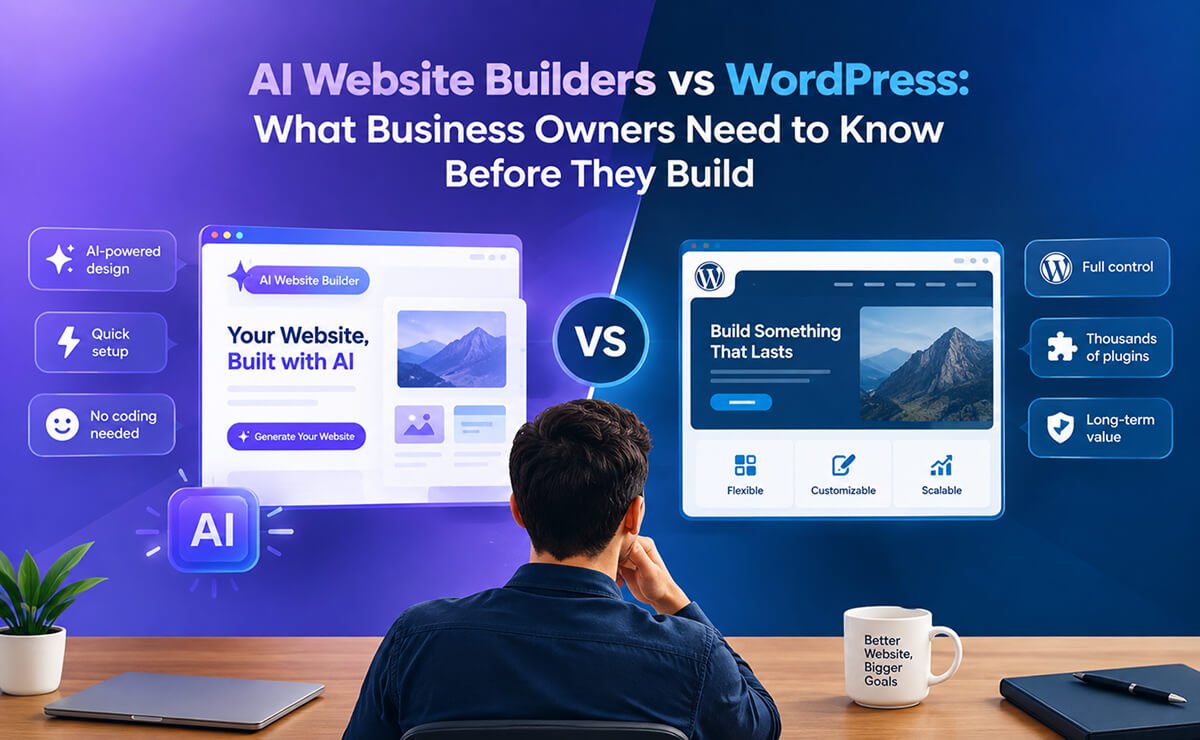
It’s Not About AI Website Builders vs WordPress. It’s About Your Business.
AI can build a website in minutes. That is no longer a futuristic promise. It is already happening.
Describe your business, answer a few questions, choose a direction, and an AI website builder can generate a homepage, write copy, create layouts, suggest images, and, depending on the platform, connect things such as forms, databases, authentication, payments, and other functionality.
It is impressive. And for many people, it is genuinely useful.
If you need a landing page for a campaign, want to test a business idea, need a temporary site, or simply want to get something online quickly, AI can remove a lot of unnecessary friction.
But there is a question that gets much less attention:
What happens after the AI builds your website?
Because a serious business website eventually becomes much more than a collection of attractive pages.
It becomes your content management system, marketing channel, lead-generation tool, product catalog, publishing platform, SEO asset, customer touchpoint, and sometimes an important part of how the business operates.
And once that happens, another question becomes much more important:
Who controls it?
That is where the current AI website-builder conversation deserves a little more nuance.
AI Has Changed Website Building. That’s a Good Thing.
Let’s start with something important.
AI website builders are not the enemy.
They have solved a real problem.
Building a website traditionally meant making dozens of decisions before you could even see the first version: hosting, theme, layout, content structure, plugins, integrations, forms, design, and more.
AI can compress much of that process.
You can go from:
“I need a website for my plumbing business.”
to a working website concept surprisingly quickly.
For a freelancer, startup, local business, creator, or someone validating a new idea, that speed can be incredibly valuable.
And the technology is evolving quickly. The current generation of AI website tools includes everything from AI-assisted WordPress creation to newer agentic platforms that generate complete websites or web applications inside their own environments. They are not all built the same way, and that distinction matters when you think about ownership and migration.
So the question isn’t whether AI can build websites.
It clearly can.
The better question is whether the platform you choose is the right foundation for the business you want to build.
A Business Website Is More Than Its Design
This is probably the biggest thing to remember when evaluating any website-building technology.
When someone says, “AI built my website,” they are often talking about what they can see:
- The homepage
- The hero section
- The navigation
- The colors
- The typography
- The images
- The contact page
But those are only the visible parts.
Behind the pages, a growing business may need:
- A content management system
- Structured content
- A database
- Customer and lead information
- Forms and email
- Products and orders
- Payments
- SEO controls
- Analytics
- Testimonials
- FAQs
- Portfolio and case studies
- Booking functionality
- Custom fields
- Different content types
- Marketing automation
- Backups
- Security
- Performance tools
- Integrations
- Custom functionality
That is the difference between building a website and building a digital business asset.
The first can be simple.
The second needs a foundation that can evolve.
Your First Website Probably Won’t Be Your Last
This is something business owners often discover only after they have been online for a while. Imagine a local home services company launching its first website. At the beginning, it might need only:
Home → About → Services → Service Areas → Contact
That sounds simple. Then the business grows.
It wants individual pages for plumbing, HVAC, electrical, roofing, or emergency services.
Then it wants:
- Project galleries
- Customer testimonials
- Team profiles
- FAQs
- Service areas
- Request-a-quote forms
- Special offers
- Blog content
- Lead magnets
- Email marketing
- Online booking
The website has become much more sophisticated. The original website wasn’t necessarily a failure.
The business simply outgrew its original requirements.
The same thing happens to SaaS companies, agencies, ecommerce stores, restaurants, hotels, publishers, consultants, nonprofits, photographers, and professional service businesses.
A website that starts as a marketing brochure can eventually become an important piece of business infrastructure.
That is why the technology underneath the design matters.
The Real Question Isn’t “Can AI Build It?”
A better question is:
Can this website grow with my business without making future changes unnecessarily difficult or expensive?
That changes how you evaluate a website builder.
Instead of only asking:
How quickly can I launch?
you also start asking:
- Who owns my content?
- Where is my data stored?
- Can I export it?
- Can I move the website?
- Can I change hosting?
- Can another developer take over?
- What happens if I cancel?
- What happens if the pricing changes?
- How does the cost change as usage grows?
- Which parts of my website depend on the platform?
- Can I add functionality that isn’t available today?
These questions aren’t nearly as exciting as watching an AI generate a homepage.
But they are business questions.
And business questions tend to matter more after the initial excitement wears off.
The Hidden Cost of Convenience
One reason AI website builders are attractive is that they can hide much of the underlying complexity.
A platform may bundle hosting, website generation, databases, authentication, AI functionality, and other services into one environment.
That’s convenient.
And convenience has real value.
But businesses should understand exactly what is included and how the pricing works.
Depending on the platform and the way you use it, costs can be influenced by things such as:
- AI usage
- Database usage
- Storage
- Traffic
- Automation
- API usage
- Payment processing
- Additional applications
- Additional users
This does not mean every AI website builder requires you to subscribe to dozens of separate services.
Some platforms deliberately bundle these capabilities together.
The more useful question is:
What happens to the cost and dependencies as my business grows?
A platform that is inexpensive for a five-page website may have a very different cost structure when the website has thousands of visitors, more users, more stored data, more transactions, or heavier AI usage.
And this isn’t uniquely an AI problem.
WordPress has costs too.
Professional hosting costs money. Domains cost money. Premium themes and plugins may cost money. Email, backups, development, and maintenance can all cost money.
The difference is that WordPress gives you considerably more choice over which pieces you use and where you host them.
Ownership Is More Important Than Most Business Owners Realize
There is an important difference between having access to a website and having meaningful control over it.
You may have a username and password.
You may be able to edit every page.
You may even have an impressive dashboard.
But that doesn’t automatically tell you how portable the website is.
Before committing to a platform, ask:
- Can I export my content?
- Can I move my website?
- Can I access my data?
- Can I change hosting?
- Can another developer work on it?
- Can I replace individual components without rebuilding the entire site?
This is where the idea of vendor lock-in becomes relevant. Lock-in usually isn’t obvious on day one.
The website works.
The design looks good.
Everything is easy.
The problem appears later—when you want to do something the platform doesn’t support, when the pricing changes, when you need a different integration, or when you simply want to move somewhere else.
That’s when portability suddenly becomes valuable.
WordPress Takes a Different Approach
WordPress comes from a fundamentally different model.
It is open-source software that can be hosted on infrastructure you choose and extended through its large ecosystem of themes, plugins, blocks, and other tools.
And WordPress has built-in mechanisms for moving your content.
Its Export tool can export posts, pages, custom post types, comments, custom fields, categories, tags, taxonomies, navigation menus, and users into a WordPress export file that can be imported into another WordPress site.
WordPress is also actively working on Data Liberation, an initiative built around making it easier to move content between platforms and reduce the problem of data being trapped inside closed systems. WordPress describes the goal simply: “Your data, your move.”
That is an important difference in philosophy.
The goal isn’t only:
“Make it easy to create a website.”
It is also:
“Make it possible to control and move your content.”
Of course, moving a website is never automatically effortless. A migration can still involve hosting, themes, plugins, databases, media, redirects, and other technical considerations.
But having a platform and ecosystem designed around portability gives you options.
And options matter when your business is growing.
Modern WordPress Isn’t the WordPress of Ten Years Ago
Another reason the AI-versus-WordPress conversation can be misleading is that it sometimes compares modern AI builders with an outdated picture of WordPress.
Modern WordPress has become much more visual.
With a block theme, the WordPress Site Editor lets you work on the site’s styles, templates, navigation, pages, patterns, headers, footers, and other parts of the website from a visual interface. WordPress also allows templates and styles customized through the Site Editor to be exported.
Patterns make the process even more practical.
Instead of designing every section from scratch, you can work with reusable layouts and customize them for your own website. WordPress supports creating, importing, managing, duplicating, and exporting patterns.
So building with WordPress today does not have to mean staring at a blank page and asking a developer to code everything.
This Is Where Themes and Templates Still Matter
There is a popular assumption that AI has made website templates obsolete.
I don’t think that’s true. AI has changed what people expect from templates. A template shouldn’t simply be a fixed website where you replace the logo and change a few colors. A good template should give you a professional starting point.
Think of it as a foundation rather than a finished building.
A home services business might start with:
Hero → Trust Signals → Services → Why Choose Us → Projects → Testimonials → Service Areas → FAQ → Contact
A SaaS company might need:
Hero → Features → Benefits → Integrations → Testimonials → Pricing → FAQ → CTA
A magazine needs a completely different content structure.
An ecommerce store has another set of priorities.
A photography portfolio needs something else again.
That’s where purpose-built WordPress themes and website templates remain useful.
They give a business a starting structure based on a real use case, while WordPress still lets the owner change the content, design, functionality, and direction of the website.
For a business owner, that can be a better starting point than asking an AI to invent everything from scratch.
AI and WordPress Don’t Have to Compete
This is the part of the conversation I find most interesting.
The future doesn’t necessarily have to be:
AI vs. WordPress.
It can be:
AI + WordPress.
Use AI where it is genuinely good at accelerating work.
Use WordPress where ownership, content management, flexibility, and extensibility matter.
AI can help you:
- Brainstorm a website structure
- Draft content
- Generate design ideas
- Create images
- Assist with development
- Analyze content
- Automate repetitive work
- Speed up research and production
WordPress can provide the underlying CMS, content structure, visual editing environment, themes, templates, plugins, and hosting flexibility.
That combination makes a lot more sense to me than treating AI as a replacement for the entire web platform.
AI can be the accelerator without becoming the owner of your business infrastructure.
The “All-in-One” Approach Has a Trade-Off
All-in-one website platforms solve a genuine problem.
They reduce the number of decisions you need to make.
You don’t necessarily need to choose your own hosting, install plugins, configure a database, or figure out how individual services connect.
For many people, that’s exactly what they want.
But an all-in-one platform also means that you are trusting that platform with a larger portion of your website’s future.
- Its pricing matters.
- Its feature roadmap matters.
- Its export options matter.
- Its terms matter.
- Its uptime matters.
- Its long-term direction matters.
That doesn’t make an all-in-one platform bad. It simply means you should understand the trade-off. You are exchanging some degree of control for convenience. For a simple website, that may be a very good trade.
For a website that becomes central to your business, you may eventually value the control more.
Think About Your Website as a Business Asset
Here’s a simple way to think about the difference.
An all-in-one website platform can feel like renting a fully furnished office.
You can move in quickly.
The furniture is there.
The utilities are handled.
Someone else manages much of the infrastructure.
That’s convenient.
WordPress is different.
You have more responsibility for the environment around your website, including hosting, updates, security, backups, and maintena But you also have more freedom over where the website lives, how it is extended, and how it evolves. Neither approach is automatically right for everyone. The important thing is knowing which trade-off you’re making.
Because your website may eventually become one of the most valuable digital assets your business owns.
What Should a Business Owner Choose?
There isn’t one answer for everyone.
If you need a simple landing page for a campaign next week, an AI website builder might be exactly the right tool.
If you’re testing a business idea and don’t know whether the idea will survive six months, speed may be more important than long-term architecture.
But if you’re building the website that you expect to represent your company for the next five, ten, or fifteen years, you should think beyond the first version.
Think about:
Ownership.
Data.
Portability.
Customization.
Scalability.
Cost over time.
Maintenance.
Control.
And what happens when your business changes.
That is where WordPress continues to make a strong case.
10 Questions to Ask Before Choosing an AI Website Builder
Before putting your business website on any platform, take a few minutes to ask:
1. Who owns my content?
Can I export it in a useful format?
2. Where is my data stored?
Do I have meaningful access to it?
3. Can I move the website?
Can I take it to another host or platform?
4. What happens if I cancel?
What exactly remains accessible after the subscription ends?
5. What can I actually export?
Can you export only text and images, or can you take your layouts, structured content, database information, and other important assets with you?
6. How does the pricing scale?
Does the cost change with traffic, users, AI usage, storage, transactions, or other usage?
7. Can another developer take over?
If you change agencies or developers, can they realistically maintain and extend the website?
8. Can I add functionality later?
What happens when your business needs something the platform doesn’t currently provide?
9. How dependent am I on the platform?
What parts of the website stop working if you leave?
10. Am I building an asset or renting a service?
This may be the most important question of all.
Frequently Asked Questions
It depends on what you’re building. AI website builders can be excellent for simple websites, landing pages, prototypes, and projects where speed and convenience are the priority. WordPress is particularly compelling for businesses that want long-term control over their content, hosting environment, customization, and website infrastructure.
The better question is not simply which platform is better. It is which platform fits the business you are building.
Yes. Modern AI builders can generate much more than a homepage. Depending on the platform, they can create pages, layouts, content, databases, forms, authentication, ecommerce features, and other application functionality.
The important distinction is between creating a website and owning a website that can evolve with your business.
Absolutely. AI changes how websites can be created, but it does not remove the need for a CMS, content management, hosting, data, customization, or long-term control.
AI can actually make WordPress more productive by helping with content, design, development, research, and automation.
WordPress provides tools for exporting your content, including posts, pages, custom post types, comments, custom fields, taxonomies, navigation menus, and users. WordPress is also developing its Data Liberation initiative to make moving content between platforms easier.
The exact level of control also depends on your hosting provider and the third-party services you choose.
Yes. WordPress sites can be migrated between hosting environments. The process can involve moving the site’s files and database and updating the configuration for the new environment.
The important advantage is that WordPress is not inherently tied to one hosting company.
Not automatically.
AI builders can be very cost-effective when their bundled hosting and functionality match your needs. WordPress itself is open-source, but running a professional WordPress site still involves costs such as hosting, a domain, maintenance, premium tools, and professional services when required.
The useful comparison is total cost and flexibility over time, not simply the monthly starting price.
No. Modern WordPress provides visual block editing and, with block themes, the Site Editor can be used to customize styles, templates, navigation, pages, patterns, headers, and footers.
You can also start from a professionally designed theme or website template rather than building everything from a blank canvas.
The Best Choice Isn’t AI vs. WordPress
AI and WordPress don’t have to compete.
Use AI to build faster. Use WordPress to stay in control.
AI can help you plan, write, design, and launch a website faster. WordPress gives you the flexibility to own, manage, customize, and grow that website over time.
For a quick landing page or simple project, an AI website builder may be all you need. For a business website you expect to grow for years, WordPress can give you more control and flexibility.
The smartest approach may be to use both: let AI accelerate the work, while WordPress remains the foundation.
Build faster. Stay flexible. Keep control.
The Best Choice Isn’t AI vs. WordPress
AI and WordPress don’t have to compete.
Use AI to build faster. Use WordPress to stay in control.
AI can help you plan, write, design, and launch a website faster. WordPress gives you the flexibility to own, manage, customize, and grow that website over time.
For a quick landing page or simple project, an AI website builder may be all you need. For a business website you expect to grow for years, WordPress can give you more control and flexibility.
The smartest approach may be to us
Leave a Reply