

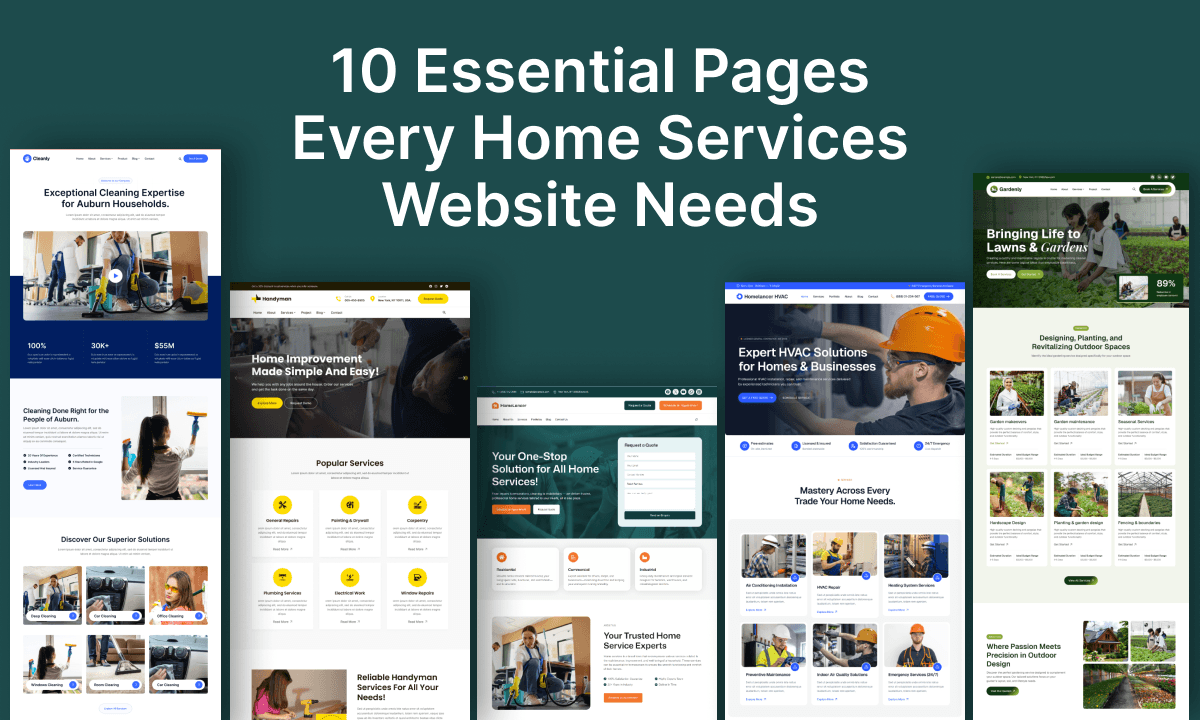
A homeowner frantically Googling “emergency plumber near me” at 11 PM isn’t browsing for inspiration.
A contractor shopping around for someone to handle their kitchen remodel isn’t reading blog posts about your company values.
Someone needs help. They want to know if you can actually provide it.
Your website exists to answer that fundamental question in the fastest, clearest way possible. When it does that well, people contact you. When it doesn’t, they contact someone else—usually within seconds.
The frustrating truth? Most home services websites make their visitors work too hard for answers that should be obvious.
This guide walks you through the 10 essential pieces of information your website needs to contain—not because a marketing template says so, but because these are the things potential customers actually need to decide whether to reach out.
The Core Customer Journey
Before we dive into specific pages, understand what your visitors are actually trying to do:
Discover → Do you exist and can you help me?
Understand → What exactly do you offer and is it what I need?
Trust → Have you actually done this before? Should I trust you?
Act → How do I get in touch and what happens next?
Every piece of your website serves one of these four purposes. Keep that in mind as we go through each section.
1. Homepage: Your Front Door Should Be Obvious
Your homepage is often the first thing a potential customer sees. Within the first few seconds, they need to understand three things:
- What you do (be specific, not generic)
- Who you help (homeowners? commercial buildings?)
- Where you work (Austin? Greater Austin area?)
Don’t bury this under hero graphics and vague taglines.
A plumbing company might open with:
Plumbing Repair & Emergency Services for Austin & Round Rock Homes
Boom. Crystal clear. In seven words, someone knows whether they’re in the right place.
Follow that clarity with a short supporting statement that builds confidence—maybe your average response time or how long you’ve been in business—then get to the biggest call to action on your page. Make it obvious, make it impossible to miss.
What else belongs on a homepage?
- A clear, specific headline
- A brief supporting statement (what problems you solve)
- Your primary call to action (“Request a Quote,” “Call Now,” “Schedule Today”)
- Overview of your main services
- Trust signals (years in business, licenses, certifications)
- A few completed projects or before-and-afters
- Real customer reviews (even just 2-3)
- Clear statement of your service areas
- Answers to 2-3 questions people always ask
- Contact information
The order matters. Think of it like a conversation: first you explain what you do, then show you’ve actually done it well, then make it easy for them to take the next step.
You don’t need to cram everything above the fold. But make sure the logical progression is there.
2. Services Page: Tell People Exactly What You Do
One page describing “Our Services” is still essential, even if you also create individual service pages later.
For a plumber, this might list:
- Drain cleaning
- Water heater repair
- Leak detection
- Emergency services
- Fixture installation
For a cleaning company:
- Regular house cleaning
- Deep cleaning
- Move-in/move-out cleaning
- Post-construction cleaning
For a landscaper:
- Lawn maintenance
- Landscape design
- Garden installation
- Tree and shrub care
Here’s the key: describe these in customer language, not technical jargon.
Don’t say “We perform hydro jetting on main and secondary drain lines.” Say “We clean stubborn clogs your basic drain snake can’t reach.”
If you have 15+ services, organize them into categories (like “Repair Services” and “Installation Services”) instead of an overwhelming wall of text. Customers should be able to scan and find what they need in seconds.
3. Individual Service Pages: Go Deeper for Complex Services
Your Services page is the overview. Individual service pages are where you can actually help someone understand whether you’re the right fit for their specific problem.
Let’s say you’re a plumber creating a dedicated Water Heater Repair page. That page should walk someone through the real questions on their mind:
- What exactly is wrong and how do I know?
- Is repair possible or do I need replacement?
- How much will this cost (roughly)?
- What does the process actually look like?
- Do you work in my area?
- How do I get started?
Notice these are the customer’s questions, not your business questions.
When you create these pages, you’re essentially answering the research people are already doing. That’s why individual service pages help with both customer decisions and search visibility—they address real intent.
The same logic applies to location pages. If you serve multiple towns, each one should have useful, location-specific information—not just a copy-paste with a different city name. Include local details that actually matter to someone in that area: maybe you respond faster in nearby neighborhoods, or you’ve built relationships with local contractors, or you’re familiar with the area’s common home issues.
4. Service Areas: Don’t Make People Guess
Your service area might include specific cities, neighborhoods, or a radius around your office. Whatever it is, put it somewhere obvious.
Your visitors shouldn’t have to call just to find out if you work in their part of town.
Display this information consistently: on your homepage, your Services page, your Contact page, and in your footer. If you serve a large area, consider listing specific cities:
Serving homeowners throughout Austin, Round Rock, Cedar Park, Pflugerville, and surrounding communities
If you only serve downtown Austin, say that. Customers respect honesty about service areas. It’s better than having them book a consultation just to learn you don’t actually serve their neighborhood.
5. About Page: Help Customers Know Who They’re Trusting
Here’s what people are actually wondering when they visit your About page:
Who am I trusting to come into my home? Are these people competent? Are they reliable? Do I actually want them here?
They’re not looking for a corporate biography or a mission statement. They’re looking for enough information to feel confident.
Your About page should include:
- Who you are. Real names. Your role.
- How long you’ve been doing this. Years matter in trades.
- What you’re certified or licensed in. Be specific. If it’s relevant to your work, show it.
- Real photos of your team. Not stock photos of people in hard hats. Actual photos of your people.
- How you work. Don’t say “we’re committed to excellence.” Instead, explain what that looks like in practice: “We always explain what we find before we recommend a solution. If your water heater can be repaired, we’ll tell you. If it needs replacement, we’ll explain why.”
- What to expect. Do you call before arriving? Do you protect floors? Do you clean up? These details matter.
The strongest About pages don’t sound corporate—they sound like people you’d actually want in your space.
6. Projects or Portfolio: Show, Don’t Tell
A contractor can describe the quality of their work. A roofer can explain their attention to detail. A landscaper can talk about their design eye.
But photographs? They skip all the skepticism.
Your Projects section should include:
- Real before-and-after photos
- The original problem (in customer language)
- The solution you provided
- What the finished result looks like
- The location (if appropriate) and the services involved
For a kitchen remodel, show the gutted space, early progress, and the finished kitchen. For a roof replacement, show the old roof, the work in progress, and the completed work. For landscaping, show the bare or overgrown yard, the work, and the mature landscaping six months later.
Let the work speak for itself. A portfolio builds the kind of confidence that testimonials and descriptions can’t.
7. Reviews and Testimonials: Real Feedback From Real People
People need reassurance. They’re about to invite you into their home or give you a significant project. Customer reviews provide that reassurance better than anything else you can say about yourself.
Collect and display genuine reviews. You can use:
- Short testimonials from satisfied customers
- Quotes pulled directly from review sites
- Links to your Google Business profile where customers have left reviews
- Project-specific feedback (“Sarah was so patient explaining the issue”)
- Video testimonials if customers are willing
Don’t create a separate Testimonials page unless you have dozens. Instead, weave reviews throughout your site where they matter most: next to your services, near your projects, beside your contact form.
A customer review next to a completed project tells a story. A quick testimonial just before someone requests a quote gives them confidence exactly when they need it.
The most powerful testimonials include the customer’s name, a photo if possible, and specific details about what you did and why they appreciated it. “Great work!” is fine. “They explained exactly what was wrong with my plumbing and why we needed a new water heater instead of fixing the old one. Very honest and professional.” is much more powerful.
8. FAQ Section: Answer the Questions You Get Tired of Answering
You know the questions people always ask. The same ones come up on calls, in emails, during estimates.
Those should be on your FAQ page.
Common questions for home service businesses include:
- How do you price your services? Do you charge for estimates?
- Do you offer emergency/same-day service?
- Are you licensed and insured?
- What service areas do you cover?
- How quickly can you respond?
- How long does the work typically take?
- What happens after I request a quote?
- Do you offer warranties or guarantees?
Write answers that are clear and honest, not promotional. If someone asks “How much does a plumbing repair cost?”, don’t answer with a vague “It depends—call for a quote.” Answer honestly: “Most basic repairs run $150-$400, but bigger issues can cost more. We charge $X for a service call, and that fee is waived if you proceed with the repair. We’ll give you an estimate before any work begins.”
The best FAQs come from actual customer conversations. If you’re hearing the same question three times a week, it belongs on your FAQ page.
9. Contact, Quote, or Booking Section: Make the Next Step Obvious
You can have perfect content and perfect projects and still lose customers if taking the next step is complicated.
Make your primary call to action unmissable. Depending on your business, that might be:
- “Call Now” (click-to-call on mobile)
- “Request a Quote” or “Get an Estimate”
- “Book a Service” or “Schedule a Consultation”
- “Send an Inquiry”
Pick the one that actually matches how people work with you. If 80% of your customers call you, “Call Now” should be prominent and clickable on mobile. If most people request online estimates first, lead with that.
Include essential contact information:
- Phone number (clickable/callable on mobile)
- Short contact form or quote request form
- Email address (if you actually respond to email)
- Business hours
- Your address or service area
Here’s the mistake most businesses make: they ask too many questions in their contact forms. If you need a name, phone number, email, service type, and brief description—ask for exactly that. Don’t add “How did you hear about us?” or optional fields that just add friction.
On mobile, this matters even more. Someone searching for an emergency plumber on their phone shouldn’t have to scroll through three pages to find your phone number. Make it your hero call-to-action.
10. Resources or Blog: Help Before They Hire
A resource section positions your business as knowledgeable and helpful before someone is ready to hire you.
For plumbers, useful content might cover:
- How to identify common plumbing problems
- Water heater maintenance tips
- When to call a plumber vs. DIY
For cleaning companies:
- Deep cleaning checklists
- How to prepare for professional cleaning
- Seasonal cleaning guides
For electricians:
- Electrical warning signs
- Home electrical safety
- When you need a licensed electrician
The point isn’t to become a publication or publish articles “because your blog should be active.” The point is to answer questions that real customers are asking—before they hire you, while they’re researching, when they’re trying to decide if your service is right for them.
Good content does three things: it answers real customer questions, it demonstrates expertise, and it creates another opportunity for you to be found through search.
What Your Navigation Should Look Like
You don’t need a complex navigation system.
A simple structure:
- Home
- Services
- Projects
- About
- Resources
- Contact
Your individual service pages can nest under Services. Location-specific pages can organize under Service Areas (if you have them).
The key principle: Make it easy to find what you’re actually looking for. If someone needs your services, understands your business, sees proof of your work, or wants to get in touch, those paths should feel obvious.
Not every page needs to live in your main navigation. Your navigation should reflect what your customers actually need.
Start Smaller, Build Bigger
If you’re starting from scratch, this list can feel overwhelming. Don’t let it.
A brand-new home service business can launch with just:
- Home
- Services
- About
- Contact
That’s genuinely enough to get started. It answers the core questions customers have.
As you grow and learn what people actually ask about, add:
- Projects (once you have a few to show)
- Reviews (once you have customers)
- Service Area pages (if you expand geographically)
- FAQ (once you notice patterns in customer questions)
- Individual Service Pages (for your most complex or popular services)
- Resources (when you have time to create genuinely useful content)
A simple website that’s live and accurate is infinitely better than a perfect website stuck in development.
Your website will evolve as your business evolves. Start with the essentials. Build from there.
Quick Checklist: Is Your Website Ready?
The Basics
- Is your business name, phone number, and service area clear within seconds of landing?
- Can someone understand exactly what you do in 30 seconds?
- Is your primary call-to-action (Call, Quote, Book) obvious and clickable/accessible?
- Do your contact options work on mobile?
Services
- Are your main services listed and understandable?
- Do service descriptions explain what customers get and why it matters?
- Is it easy to navigate between different services?
Trust & Proof
- Do you have real customer reviews or testimonials displayed?
- Can people see examples of your work (photos, projects)?
- Does your About page help people understand who they’re trusting?
- Are relevant licenses, certifications, or qualifications visible?
Conversion
- Is the process clear? What happens after someone contacts you?
- Is your contact form short and actually fillable (not overwhelming)?
- Do your service areas make it clear whether you work in their location?
- Is your phone number easy to find and callable on mobile?
The Real Purpose of Your Website
Your website isn’t there because every business is supposed to have one.
It’s there to make the customer’s decision easier.
A potential customer should be able to: find you → understand what you do → see that you’ve done quality work → build confidence that you’re trustworthy → and take the next step without friction.
Your website isn’t competing for attention in a busy feed. It’s answering questions for people who are actively looking for help.
When your website does that well—when it provides clear information, shows real work, demonstrates expertise, and makes the next step obvious—it stops being a “website” and starts being a tool that actually brings customers through your door.
For a home service business, that means a clear homepage, straightforward service information, real project photos, genuine reviews, an honest About page, obvious service areas, helpful answers to common questions, and one unmissable way to get in touch.
Many service business owners know exactly what their website should say. They just need help getting it built without starting from a blank page.
That’s where starting with a professionally designed foundation can help. CozyThemes provides ready-made WordPress website foundations and themes specifically built for home services, local businesses, and service contractors. Instead of solving the blank-page problem, you can start with a structure that already includes space for projects, service areas, testimonials, and FAQs—then customize it to fit your business.
Cozy Blocks (our Gutenberg block toolkit and design system for WordPress) makes building the individual sections your customers need straightforward: showcase projects and portfolios, organize FAQs into readable sections, create trust-building testimonial areas, design service cards, and build flexible layouts without coding.
The process is simple:
- Start with a foundation
- Customize it for your business
- Launch it
- Improve it as you learn what customers need
Your website can grow as your business grows.
The important part is starting with the information your customers actually need to make a decision.
A home services website doesn’t need to be complicated. It needs to make it easy for the right customer to find you, understand what you do, see that you’re trustworthy, and contact you.
Start with the essentials. Build around your customers. Let your website grow with your business.
Frequently Asked Questions
No. You can start with a homepage, services page, about page, and contact page. These cover the essentials for a new business website. As your business grows, add testimonials, project or portfolio pages, FAQs, and individual service pages. It’s better to launch with accurate, useful information than wait until every page is perfect.
Ask satisfied customers soon after completing a project. Make it easy by sending a follow-up message with a link to your Google Business Profile or review page. For testimonials, ask your best customers if they would be willing to provide a short quote, photo, or video. Focus on collecting genuine feedback rather than trying to get as many reviews as possible.
Not necessarily when you’re starting out. A blog becomes valuable when you have useful answers to common customer questions, such as how to identify a leaking pipe or when a roof needs repair. Publishing helpful, relevant content can support SEO and help potential customers find your business. Start with your core pages and add resources as you have useful topics to share.
Show before-and-after photos together so visitors can immediately see the transformation. Add a short description explaining the customer’s problem and the work you completed. You can organize projects by service type, such as kitchens, bathrooms, landscaping, or roofing. Use clear, high-quality images and make sure they load and display properly on mobile devices.
Update your website whenever important business information changes, especially your phone number, business hours, service areas, and pricing. Add new projects and testimonials as you complete them. If you publish a blog, focus on useful content rather than a strict publishing schedule. Most importantly, regularly check that your contact forms, phone links, and other important features are working.
A single services page is usually enough when you’re starting out. As your business grows, create dedicated pages for important or high-demand services. Individual service pages are especially useful when a service requires detailed information or when you want to target specific search queries. You don’t need a separate page for every service—prioritize the services that generate the most business.
Yes. Many home services customers search for businesses and contact them from their phones. Your website should be responsive, easy to read, and simple to navigate on smaller screens. Make your phone number easy to tap, keep contact forms short, and ensure important information is visible without excessive scrolling. Always test your website on a phone before launching it.
Both options can work. Building it yourself with WordPress and a professionally designed home services theme can be a cost-effective choice if you’re comfortable learning the basics. Hiring a professional makes more sense if you need a custom design, have limited time, or want someone to handle the technical work. For many small businesses, starting with a ready-made theme and customizing it yourself offers a practical middle ground.
Choose a theme built specifically for your industry, with service sections, testimonials, project showcases, and clear contact options. HomeLancer is a flexible choice for home service businesses, Mighty Plumbers is ideal for plumbing businesses, and Homedroid is another option for various home service and local businesses.
Ready to build? Explore CozyThemes’ home services website templates and WordPress foundations to get started without the blank-page paralysis.
Leave a Reply