

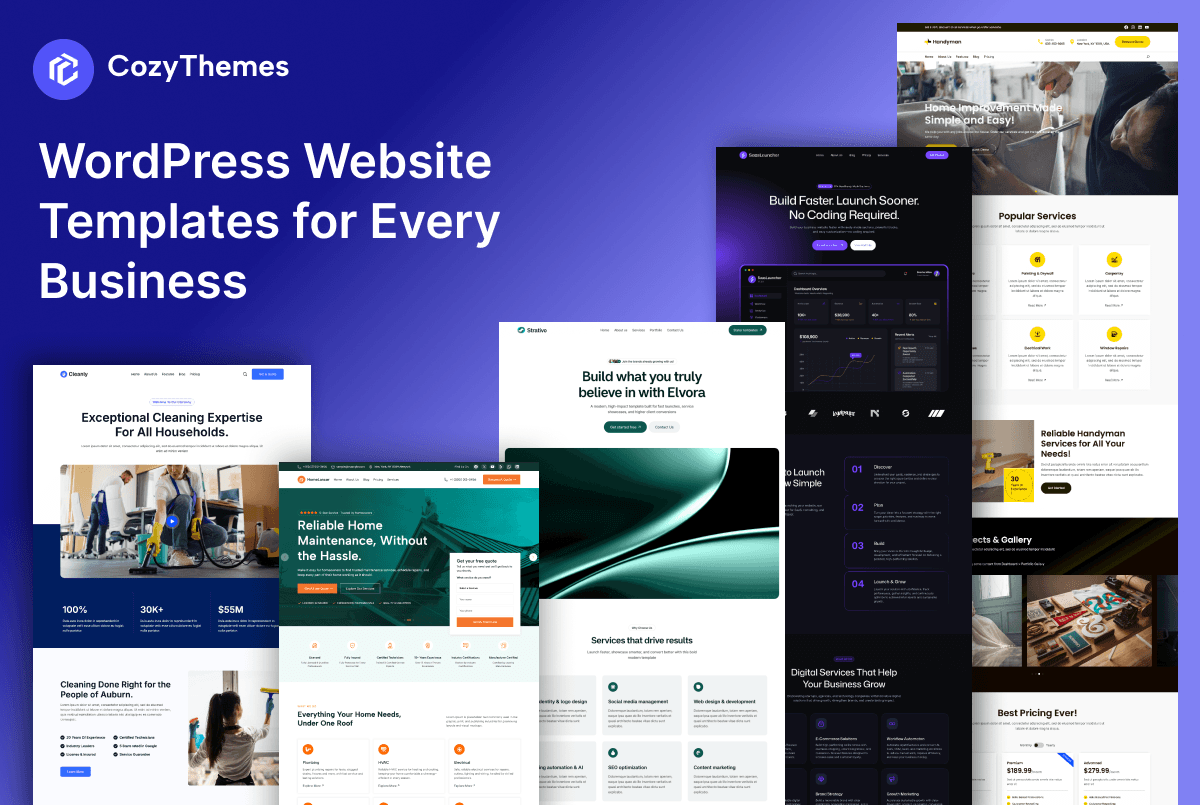
Building a WordPress website no longer has to mean starting with a blank page, hiring a developer for every small change, or spending weeks trying to make your website look professional.
WordPress website templates give you a practical starting point. Instead of designing every section from scratch, you can begin with a professionally structured website and customize it around your brand, content, services, products, and goals.
But there is an important difference between choosing a template because it looks good and choosing one that is actually right for your business.
A plumbing company, SaaS startup, creative agency, online store, and news publication may all use WordPress—but they do not need the same website structure.
That is why the best WordPress website template is not necessarily the one with the most impressive screenshot. It is the one that gives you the right foundation for what you are trying to accomplish.
At CozyThemes, we have built our template library around this idea. Our current library includes 50+ ready-made website templates covering different business and website types, supported by a larger collection of 700+ patterns and a growing set of advanced Gutenberg blocks.
What Are WordPress Website Templates?
A WordPress website template is a pre-designed structure that helps you create part or all of a website without designing every element yourself.
Depending on how it is built, a template can include layouts for a homepage, about page, services, blog, contact page, pricing page, product pages, archives, headers, footers, and other parts of a website.
With modern WordPress, templates are increasingly connected to the Block Editor and Site Editor. Block themes allow WordPress users to edit many parts of a website using blocks, including navigation, headers, content and footers. The Site Editor can also be used to manage templates, template parts, styles and navigation.
This makes a modern website template more than a static design.
It can be a starting framework that you customize to match your business.
Why Use a WordPress Website Template?
The biggest advantage is simple: you start with a proven structure instead of an empty canvas.
Starting from scratch can be surprisingly time-consuming. You need to decide what belongs above the fold, how to structure your navigation, where to place calls to action, what sections should appear on the homepage, how services or products should be presented, and how everything should work together visually.
A good template gives you those decisions as a starting point.
That does not mean you should simply import a template and replace the logo.
The strongest results usually come from treating a template as a foundation and then adapting it to your own business.
For example, a home services business might need:
- Clear service categories
- Service-area information
- Trust signals and reviews
- Emergency or quote CTAs
- Project or service galleries
- Contact and booking options
A SaaS company may instead need:
- Product positioning
- Features
- Pricing
- Integrations
- Customer testimonials
- FAQs
- Demo or signup CTAs
The template should help you get those fundamentals right from the beginning.
How to Choose the Right WordPress Website Template
Before choosing a template, start with your business rather than the design.
Ask five questions:
1. Who is the website for?
A website for a local customer behaves differently from one targeting enterprise buyers, online shoppers, readers, or creative clients.
Your audience should influence the layout, navigation, messaging and calls to action.
2. What action do you want visitors to take?
Do you want people to request a quote, book an appointment, purchase a product, subscribe, contact your team, read your content, or request a demo?
The template should make that action obvious.
3. What pages will you need?
A beautiful homepage cannot compensate for missing essential pages.
Before choosing a template, think about your likely requirements: About, Services, Pricing, Portfolio, Blog, Contact, FAQs, Shop, Product pages, Locations or other industry-specific pages.
4. How much customization do you need?
If you want to change typography, colors, layouts, headers, footers and templates yourself, look for a WordPress solution that works naturally with the Block Editor and Site Editor.
5. Can you actually maintain it?
A website should not become dependent on a complicated setup that you are uncomfortable managing.
Look for a template that gives you a strong starting point while keeping everyday editing practical.
WordPress Website Templates by Business Type
One of the easiest ways to find the right template is to start with your website’s purpose.
Business Website Templates
A business website needs to establish credibility quickly.
A strong business template usually gives you space for your value proposition, services, company information, testimonials, benefits, team information, FAQs and contact details.
The goal is not simply to make the business look professional. It should help visitors understand what the company does and what they should do next.
Explore: Business Website Templates
Agency Website Templates
Creative, marketing, design, development and consulting agencies often need to sell expertise before selling a specific product.
Agency templates should therefore make portfolios, case studies, services, team expertise and testimonials easy to present.
A good agency website should communicate personality as well as capability.
Explore: Agency Website Templates
SaaS Website Templates
SaaS websites have a different conversion journey.
Visitors often want to understand the product, its benefits, features, pricing, integrations and proof before deciding whether to try it.
A SaaS template should therefore provide a strong information hierarchy rather than simply looking futuristic.
A useful structure might move from product positioning to benefits, features, social proof, integrations, pricing, FAQs and a clear signup or demo CTA.
Explore: SaaS Website Templates
Ecommerce Website Templates
An ecommerce website has one fundamental job: help people discover products and make confident purchasing decisions.
That means the template needs to support product discovery, categories, product presentation, promotions, trust signals and a smooth shopping experience.
For WooCommerce stores, compatibility with the ecommerce functionality you actually need matters more than a visually impressive homepage.
Explore: Ecommerce Website Templates
News and Magazine Website Templates
News and magazine websites have a completely different content problem.
The challenge is not just presenting one message. It is helping visitors navigate a large and constantly changing collection of content.
A good news or magazine template should make categories, featured stories, recent posts, editorial sections and article content easy to discover.
It should also keep the page hierarchy clear even when there is a lot of information.
Explore: News & Magazine Website Templates
Home Services Website Templates
Home service businesses—including plumbers, HVAC companies, electricians, cleaners, movers, landscapers and contractors—depend heavily on trust.
A potential customer often wants three answers immediately:
Can you solve my problem? Can I trust you? How can I contact you?
That means a home services template should prioritize services, service areas, reviews, project experience, contact information and quote or booking CTAs.
A generic business template can work, but an industry-focused home services template can give you a much stronger starting point.
Explore: Home Services Website Templates
Plumbing Website Templates
A plumbing website needs to communicate urgency, reliability and expertise.
Important sections may include plumbing services, emergency plumbing, service areas, customer reviews, common problems, pricing or quote information, and contact options.
The design should support quick decisions. A visitor searching for an emergency plumber should not have to hunt through a complicated navigation system to find a phone number or request form.
Explore: Plumbing Website Templates
HVAC Website Templates
HVAC businesses need to communicate technical expertise while remaining approachable to homeowners and property managers.
A strong HVAC template can organize services such as heating, cooling, installation, maintenance and repair while also highlighting reviews, certifications, service areas and quote requests.
Again, the goal is not simply to have a good-looking website. It is to create a clear path from problem → service → trust → contact.
Explore: HVAC Website Templates
What Makes a Good WordPress Website Template?
A template should be judged on more than its homepage screenshot.
Here are some of the things worth checking before you commit.
A Clear Content Structure
Good design creates hierarchy.
Visitors should immediately understand what the website is about, what the business offers and where they can go next.
Responsive Layouts
Your website needs to work across desktop, tablet and mobile screens.
A template that looks impressive only on a desktop preview is not enough.
Easy Customization
Your website will evolve.
You may change your brand colors, add a new service, introduce a new product or restructure your homepage. The template should make those changes manageable.
Strong Typography and Spacing
Professional design is often less about decoration and more about consistency.
Typography, spacing, alignment, contrast and visual hierarchy can make a major difference in how credible a website feels.
Conversion-Focused Sections
A business website should not force visitors to figure out what to do.
Templates should make room for meaningful calls to action, testimonials, contact forms, pricing, product information or other elements appropriate to the site’s purpose.
Compatibility With Modern WordPress
For users building with the Block Editor, compatibility with WordPress’s modern block-based workflow is increasingly important.
Block themes use blocks throughout the site and can provide access to the Site Editor, Styles, templates and template parts.
Templates, Themes and Block Patterns: What’s the Difference?
These terms are often used interchangeably, but they are not exactly the same thing.
A WordPress theme provides the broader design and functionality framework for a website.
A template controls the structure of particular types of pages or content within that framework.
A block pattern is a collection of blocks arranged into a predefined layout that you can insert and customize. WordPress describes patterns as collections of blocks that can be inserted into posts and pages and then customized.
With modern block-based WordPress, these pieces work together.
A website can have a block theme, multiple templates, reusable template parts and a library of patterns that make building individual pages much faster.
WordPress’s Site Editor also provides access to patterns and template parts when a block theme is active.
This is one reason modern WordPress website templates can be much more flexible than the traditional idea of importing a fixed website design.
Why Block-Based Templates Matter
The WordPress ecosystem has steadily moved toward a more visual, block-based editing experience.
Block themes were introduced in WordPress 5.9 and are designed around blocks for major parts of a website. They allow users to customize areas that traditionally required theme files or specialized interfaces.
For website owners, the practical benefit is control.
You can adjust layouts, typography, colors, spacing and other visual elements through the WordPress editing experience. WordPress’s Styles system is specifically designed to control site-wide colors, typography, layout and related design settings.
That makes a template a starting point rather than a permanent limitation.
You can begin with a professionally designed structure and gradually make it your own.
Why Industry-Specific Templates Can Be Better
There is nothing wrong with a general-purpose WordPress template.
But when your business operates in a specific industry, an industry-focused template can save you more time because the structure already reflects common customer questions and business needs.
Consider the difference between:
Generic template:
Hero → About → Services → Contact
and:
Plumbing template:
Emergency Plumbing → Services → Why Choose Us → Reviews → Service Areas → Quote
The second structure starts closer to the customer’s buying journey.
The same principle applies to SaaS, ecommerce, agencies, HVAC, moving companies, flooring businesses, restaurants and other specialized businesses.
The closer the starting point is to your real business, the less time you spend rebuilding the website structure.
How to Customize a WordPress Website Template
Once you have selected a template, resist the temptation to change everything immediately.
Start with the content that matters most.
Replace the brand identity
Update your logo, colors, typography and visual identity.
Rewrite the messaging
Your template’s demo content exists to demonstrate structure. Replace it with language that explains your actual business, customers and benefits.
Prioritize your most important services or products
Do not keep every demo section simply because it looks attractive.
If a section does not help your customer understand your offer or move toward a useful action, remove or replace it.
Add proof
Testimonials, reviews, certifications, case studies, project images and other legitimate trust signals can make the website substantially more credible.
Check the customer journey
Visit your own website as if you were a first-time customer.
Can you understand what the company does?
Can you find the right service?
Can you see evidence that the business is trustworthy?
Can you contact or buy from the business easily?
Those questions matter more than whether every section matches the original demo.
A Practical Way to Choose Your Template
If you are overwhelmed by hundreds of WordPress designs, simplify the process.
Start with your business category.
Then identify your primary conversion goal.
Next, list the essential pages you need.
After that, compare templates based on their structure, editing experience, responsiveness and compatibility—not just appearance.
Finally, choose the template that requires the least structural modification to become the website you actually want.
That last point is important.
The best template is often the one that gets you closest to your finished website, not the one with the most visual effects.
Explore WordPress Website Templates by Category
CozyThemes approaches website templates as starting points for real websites rather than isolated homepage designs.
The current library includes 50+ professionally designed website templates covering areas such as local services, agencies, SaaS, ecommerce, restaurants, healthcare, education and more. CozyThemes also combines those templates with a broader collection of 700+ patterns and 58+ advanced blocks through Cozy Blocks.
That combination is useful when you want both:
A complete starting point — choose a website template close to your business.
Flexible building blocks — customize, extend or rebuild individual sections as your website evolves.
You can browse the complete collection of WordPress Website Templates and then explore templates based on your specific business or website type.
Frequently Asked Questions
That depends on how the template is built. Modern block-based templates can be customized through WordPress’s Block Editor and Site Editor, including layouts, templates, styles and template parts.
For most small businesses, agencies, startups and creators, starting with a well-structured template can save considerable design and planning time. Building from scratch makes more sense when you have highly specialized requirements or a design system that cannot be represented by an existing starting point.
A template does not automatically make a website rank well. SEO depends on many factors, including useful content, site structure, technical performance, accessibility, internal linking, search intent and authority. A template can provide a clean structural foundation, but your content and overall website implementation still matter.
Yes. The level of flexibility depends on the theme and template system you are using. With block-based WordPress, many visual elements can be edited through the Site Editor and Styles interface.
A website template provides a broader page or site structure, while a block pattern is a predefined collection of blocks that can be inserted into a page and customized. Patterns are particularly useful for creating individual sections without designing them from scratch.
Choose one based on your business model and customer’s journey. A SaaS company should look for a different structure than a plumbing company, ecommerce store, agency or news publication.
The Bottom Line
A WordPress website template should do more than make your website look professional.
It should give you a strong starting structure for communicating your offer, building trust and helping visitors take action.
That is why choosing by business type, customer needs and website goals is usually more useful than choosing by appearance alone.
Whether you are launching a SaaS product, growing an agency, opening an online store, publishing a news website or building a local home services business, the right template can remove much of the repetitive work between an empty WordPress installation and a useful, professional website.
Start with the structure.
Make it yours.
Then build on it as your business grows.
Explore the WordPress Website Templates collection from CozyThemes and find a starting point built around the kind of website you actually want to create.
Leave a Reply